Jelly Slice 3D1.0.1
Publisher Description

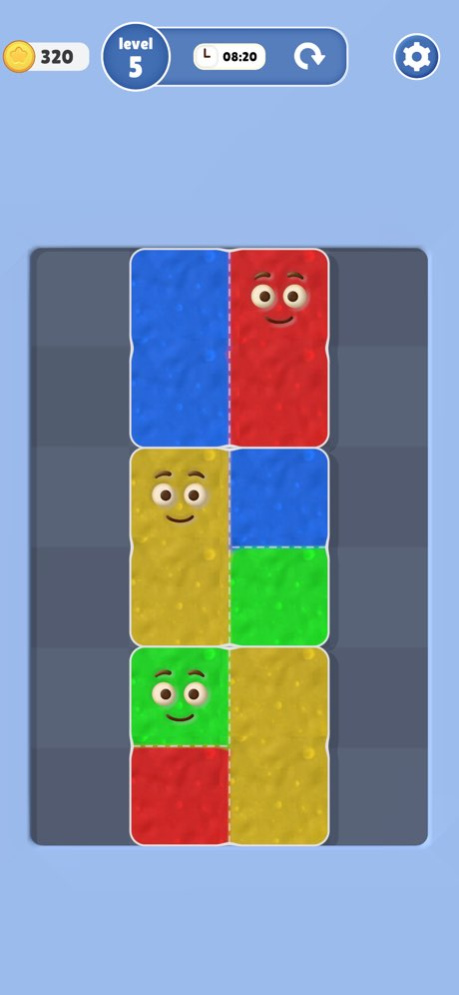


Enter the world of Jelly Slice, a fresh puzzle experience where strategy meets satisfaction. Slice shapes apart, guide the jelly blocks, and merge same-colored pieces back together to complete the puzzle.
Unlike other matching games, Jelly Slice adds a clever twist-shapes can be sliced into smaller parts and rearranged. Only jelly blocks of the same color can merge, so every move matters!
Features:
Unique Slice Mechanic - Use walls and drags to separate mixed shapes.
Merge the Colors - Only same-colored jelly blocks stick together.
Strategic Puzzles - Plan your slices carefully to solve each level.
Juicy Visuals - Smooth, satisfying jelly animations with vibrant colors.
Play Anywhere - Relaxing offline gameplay that you can enjoy anytime.
How to Play:
Slice Shapes - Drag blocks against walls to separate mismatched jellies.
Match Colors - Bring same-colored jelly blocks together.
Merge Fully - Keep merging until a complete jelly shape is formed.
Solve the Puzzle - Clear the board by merging all jellies correctly.
Every level is a test of logic and foresight-slice smart, merge wisely, and master the jelly board!
Version History Initial release 1.0.1 08/30/2025 1.0.0 08/30/2025
About Jelly Slice 3D
The company that develops Jelly Slice 3D is Rocketship Studios LLP. The latest version released by its developer is 1.0.1.
To install Jelly Slice 3D on your iOS device, just click the green Continue To App button above to start the installation process. The app is listed on our website since 2026-10-14 and was downloaded 0 times. We have already checked if the download link is safe, however for your own protection we recommend that you scan the downloaded app with your antivirus. Your antivirus may detect the Jelly Slice 3D as malware if the download link is broken.
How to install Jelly Slice 3D on your iOS device:
- Click on the Continue To App button on our website. This will redirect you to the App Store.
- Once the Jelly Slice 3D is shown in the iTunes listing of your iOS device, you can start its download and installation. Tap on the GET button to the right of the app to start downloading it.
- If you are not logged-in the iOS appstore app, you'll be prompted for your your Apple ID and/or password.
- After Jelly Slice 3D is downloaded, you'll see an INSTALL button to the right. Tap on it to start the actual installation of the iOS app.
- Once installation is finished you can tap on the OPEN button to start it. Its icon will also be added to your device home screen.
Program Details
System requirements
Download information
Pricing
Version History
version 1.0.1
posted on 2026-10-14
Version History Initial release 1.0.1 08/30/2025 1.0.0 08/30/2025
version 1.0.1
posted on 2025-08-30
Initial release
